dLocal
dLocal is a global payments platform that enables merchants to accept local payment methods in emerging markets.
When connected to Altruon, dLocal allows you to process card payments and local payment methods through Altruon.
Supported Payment Methods
- Card Payments
- Credit cards
- Debit cards
- UPI (India)
- PIX Automático (Brazil)
Requirements
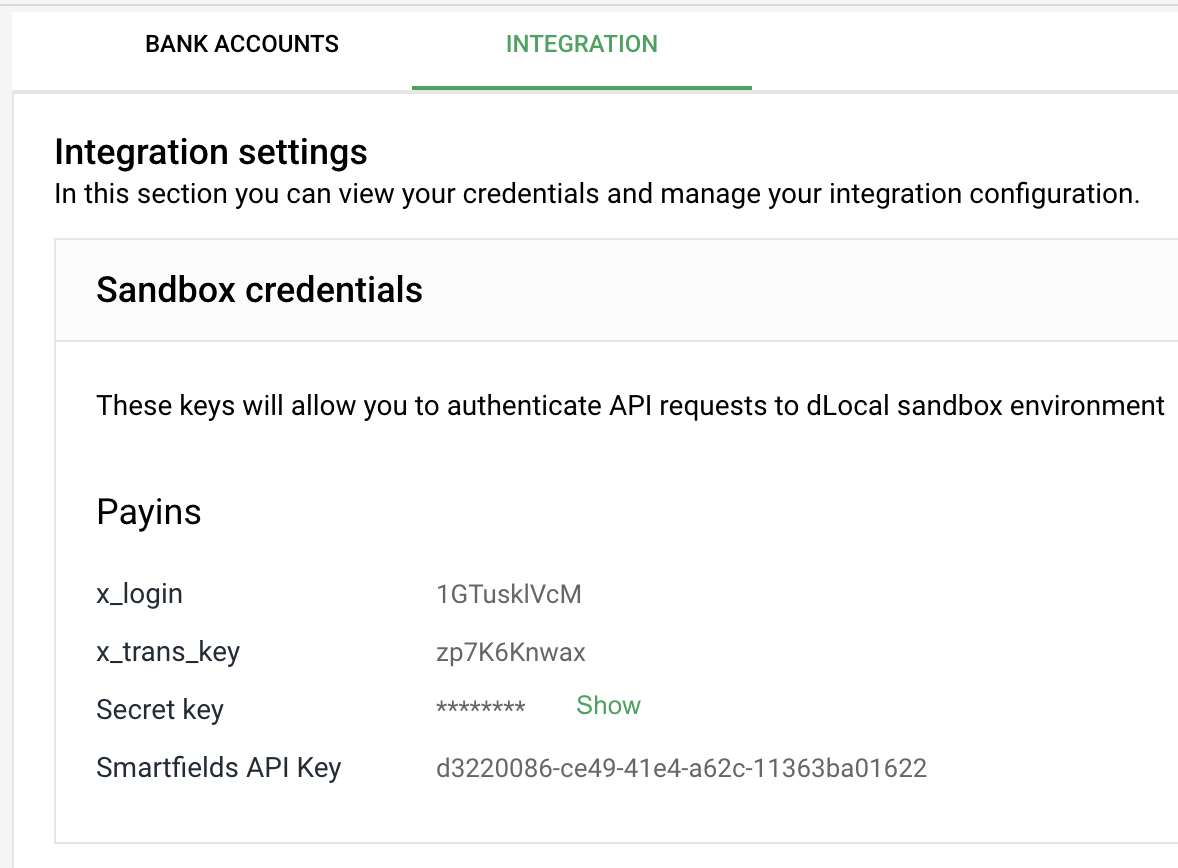
To connect your dLocal account to Altruon, you’ll need the following credentials:
- XLogin
- XTransKey
- SecretKey
- SmartfieldApiKey
You can retrieve all of these from your dLocal Backoffice:
Settings > Integration > Sandbox or Production Credentials (depending on the environment you are connecting).
Step 1: Connect dLocal to Altruon
- Log in to your Altruon account.
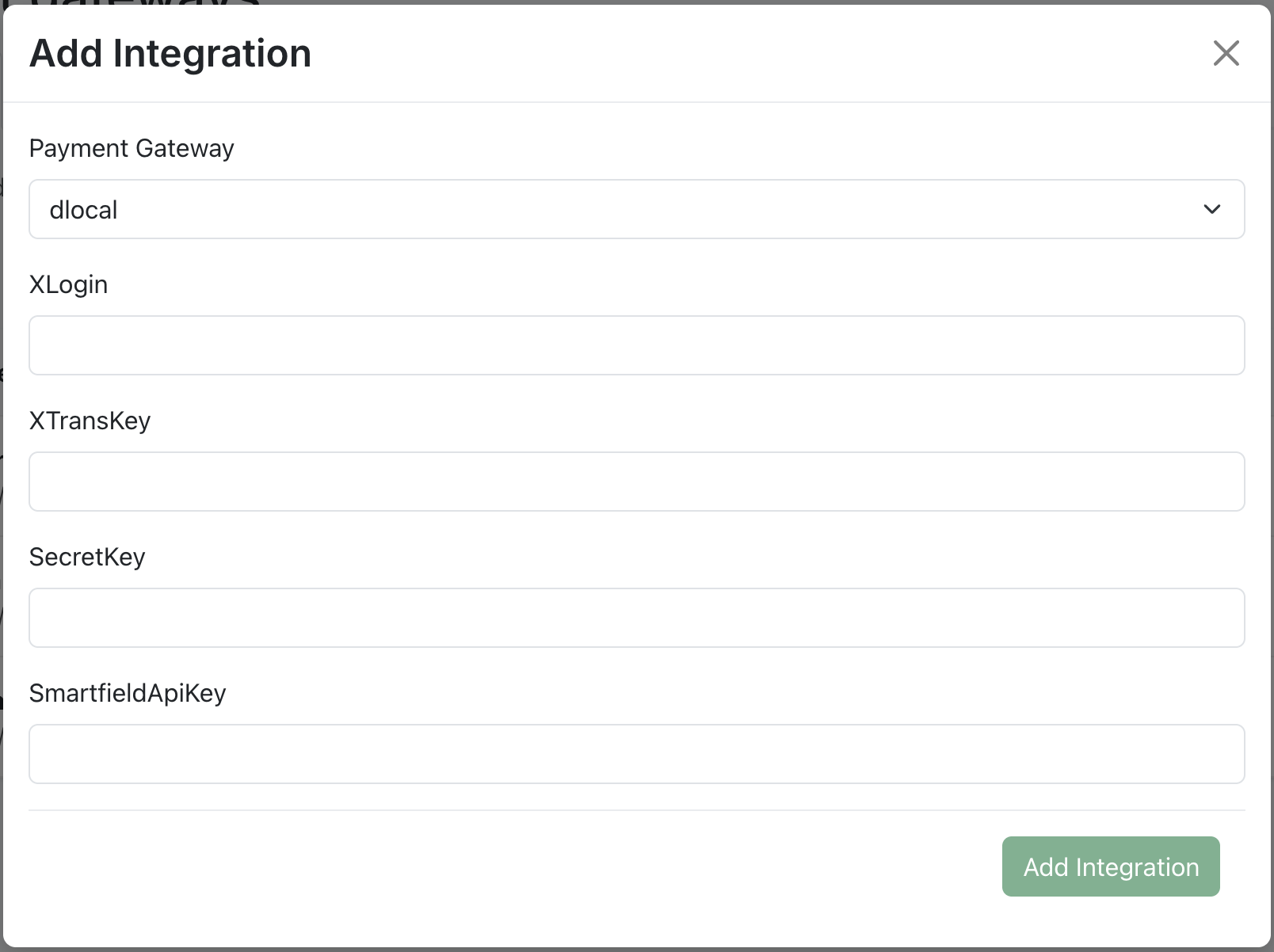
- Navigate to Settings > Payment Gateways.
- Click + Add Integration and select dLocal.
- Enter your:
- XLogin
- XTransKey
- SecretKey
- SmartfieldApiKey
- Click Save.
If the connection is successful, you will see a confirmation message.
Step 2: Configure Payment Routing
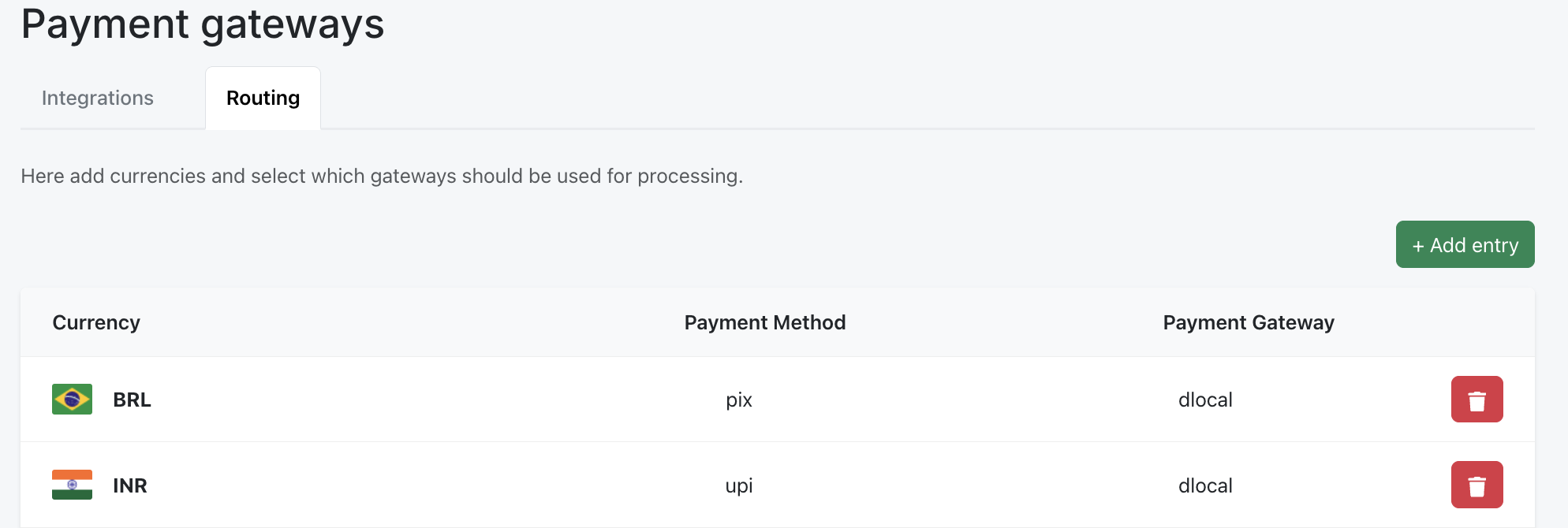
Once dLocal is connected, you can configure payment routing rules:
- Go to the Routing tab in your Altruon dashboard under Settings > Payment gateways > Routing.
- Click + Add Entry.
- Choose:
- Payment Method (e.g. Card, UPI, PIX Automático)
- Currency
- Gateway (dLocal)
- Click Save.
For more details, refer to the Quick Start guide.
🎉 Success
Your dLocal gateway is now successfully connected to Altruon!
You can begin processing card payments, UPI in India, and PIX Automático in Brazil.