Pagbrasil

PagBrasil is a Brazilian payment gateway specializing in local payment methods.
When connected to Altruon, PagBrasil enables you to process PIX Automático and card payments in Brazil.
Supported Payment Methods
- PIX Automático (Brazil)
- Card Payments
- Credit cards
Requirements
To connect your PagBrasil account to Altruon, you’ll need the following credentials:
- Secret (Secret Phrase)
- Token
- OauthClientId
- OauthClientSecret
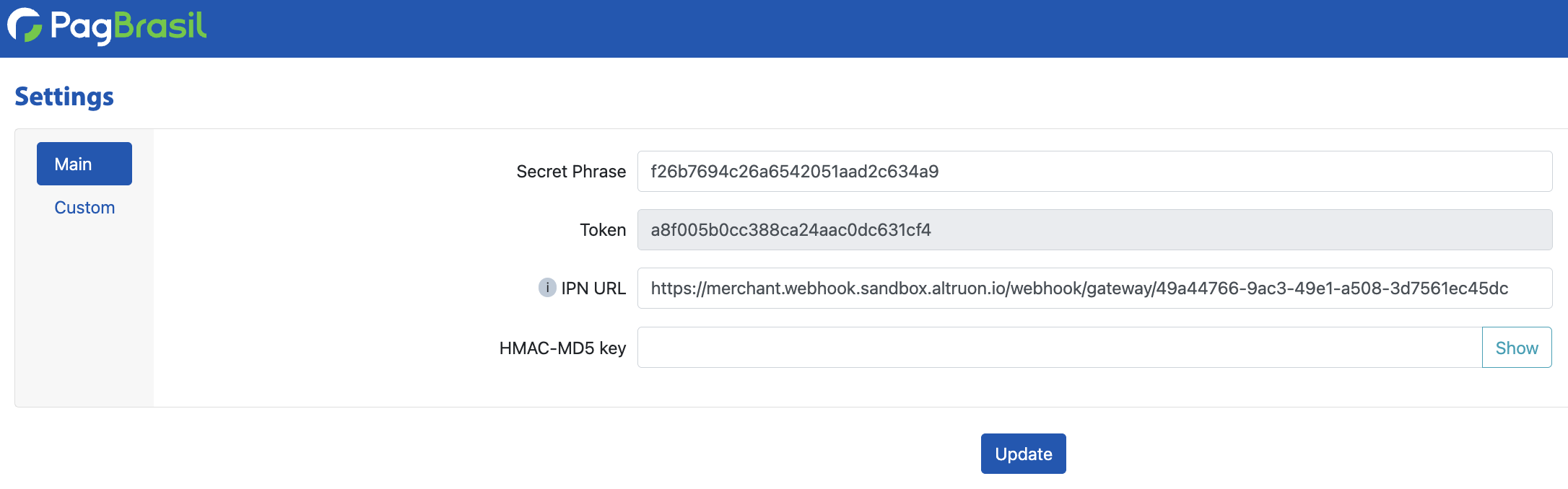
Secret and Token can be retrieved from your PagBrasil Backoffice (Account > Settings).
OauthClientId and OauthClientSecret are required for the enforced OAuth flow and must be provided by your PagBrasil point of contact.
Step 1: Connect PagBrasil to Altruon
- Log in to your Altruon account.
- Navigate to Settings > Payment Gateways.
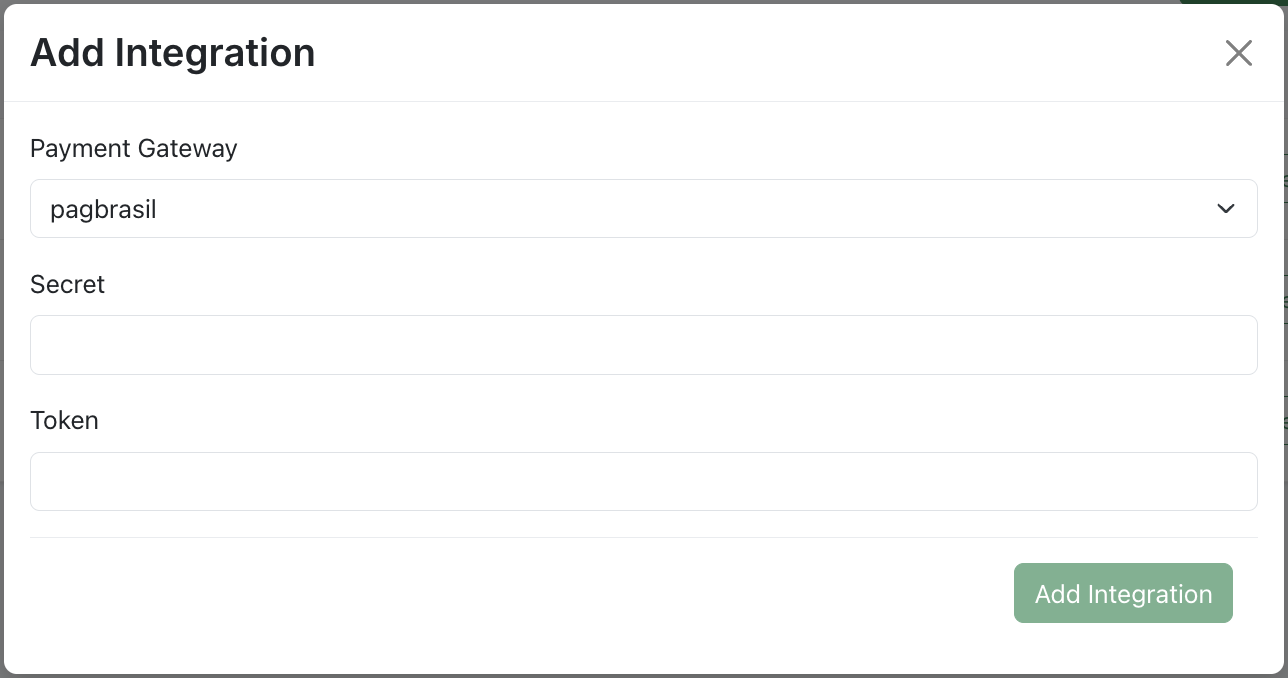
- Click + Add Integration and select PagBrasil.
- Enter your:
- Secret (Secret Phrase)
- Token
- OauthClientId
- OauthClientSecret
- Click Save.
Once done, you’ll see the PagBrasil integration marked as Active in Altruon.
Step 2: Configure Webhook in PagBrasil
Altruon requires a webhook (IPN) to receive payment updates from PagBrasil.
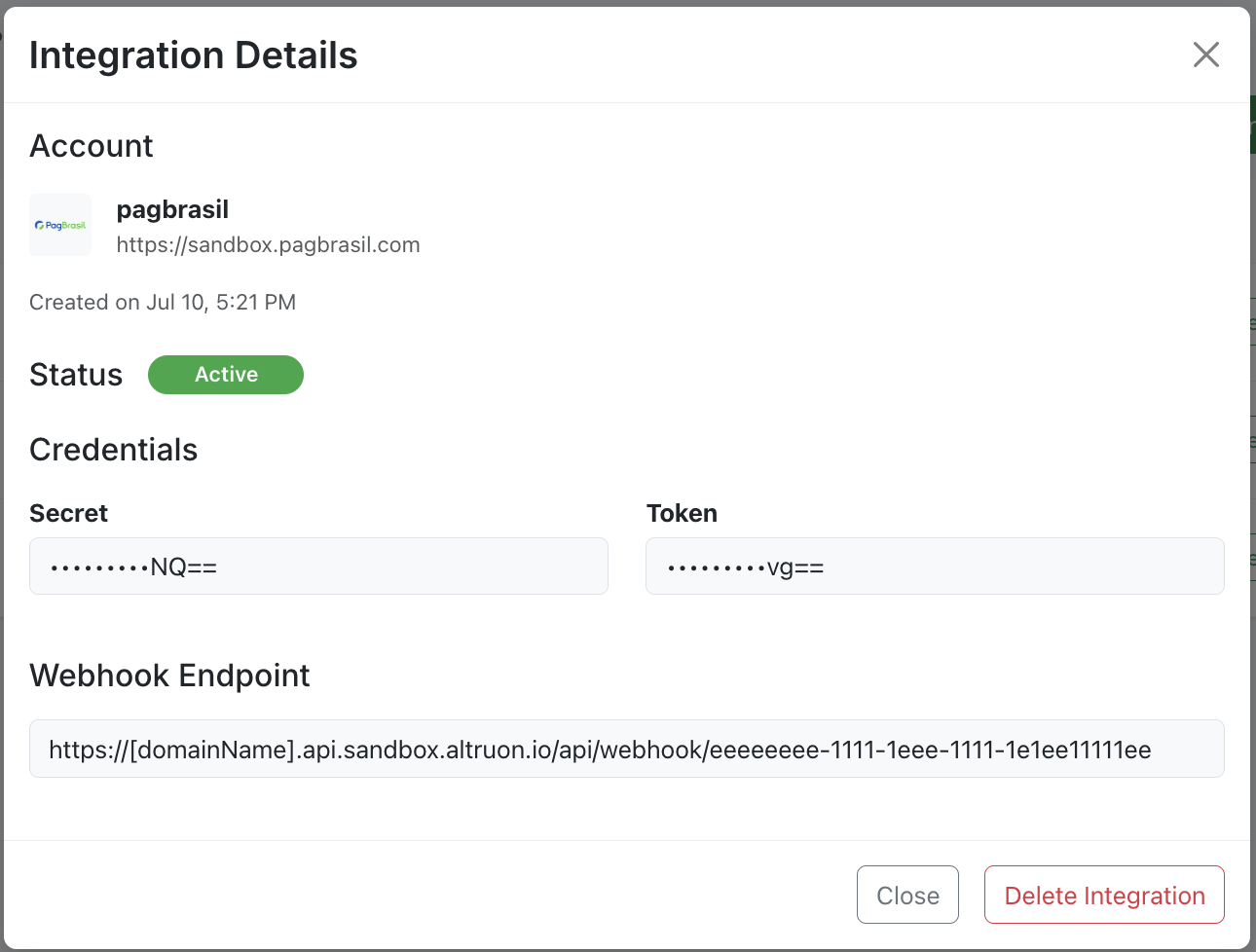
- In your Altruon dashboard, go to Settings > Payment Gateways.
- Click View Integration on PagBrasil.
- Copy the Webhook endpoint URL:
- Log in to your PagBrasil Backoffice.
- Navigate to Account > Settings.
- Paste the copied URL into the IPN URL field.
- Click Update.
🎉 Success
Your PagBrasil gateway is now successfully connected to Altruon!
You can begin processing PIX Automático and card payments in Brazil through your Altruon checkout.