Adyen

Adyen is a global payment processing platform that enables businesses to accept payments across multiple channels and markets.
When connected to Altruon, Adyen allows you to process card payments through the Altruon JS card component.
Supported Payment Methods
- Card Payments (via Altruon JS card component)
- Credit cards
- Debit cards
Requirements
To connect your Adyen account to Altruon, you'll need the following credentials:
- API Key
- Client Key
Backoffice URLs
You can retrieve these credentials from your Adyen Backoffice:
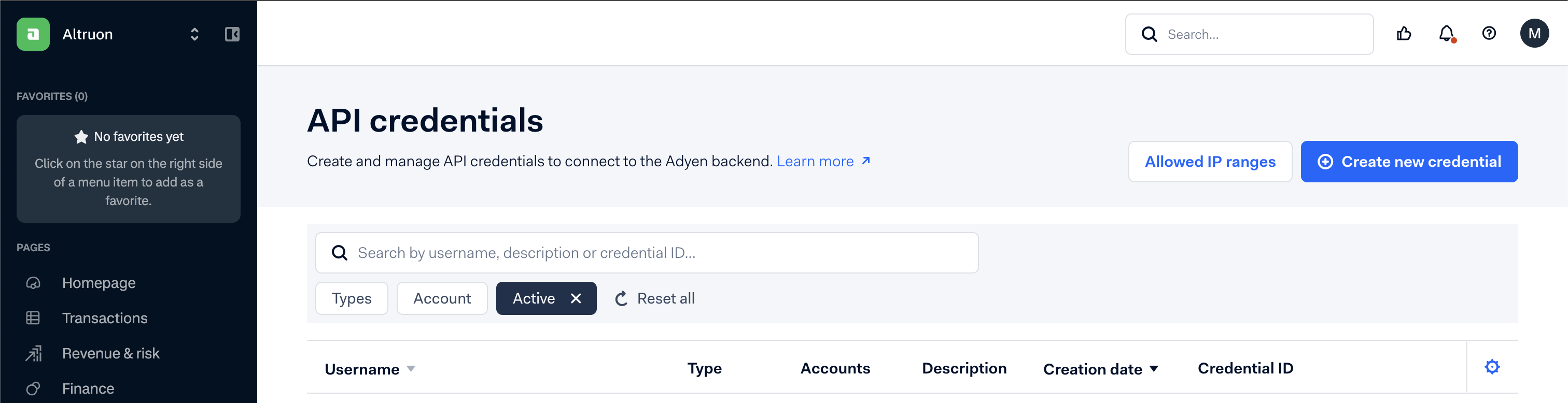
Developers > API Credentials
Getting your API Key
- In the API Credentials section, you can choose your preferred webservice user or create a new one specifically for Altruon.
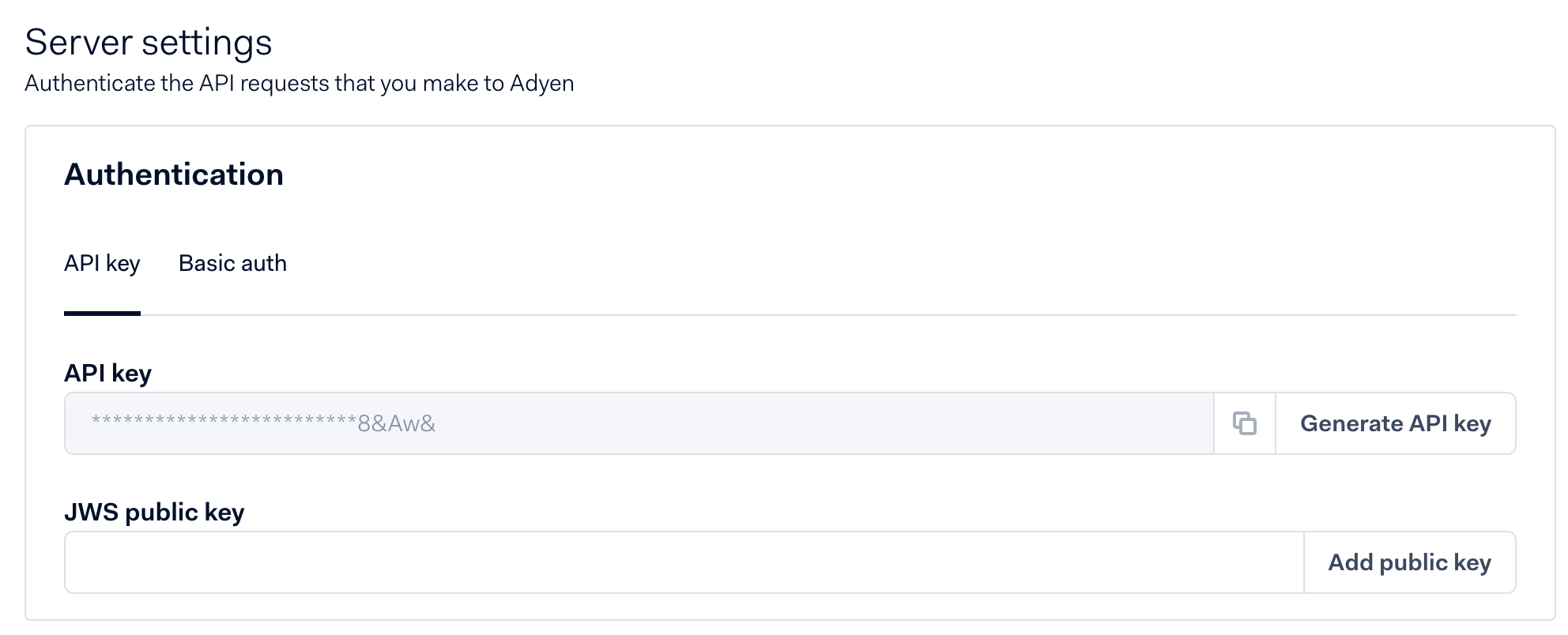
- Navigate to the Server settings section.
- Copy the API Key.
The API key will only be visible until saved, so make sure to copy it and paste it somewhere safe before saving.
Getting your Client Key
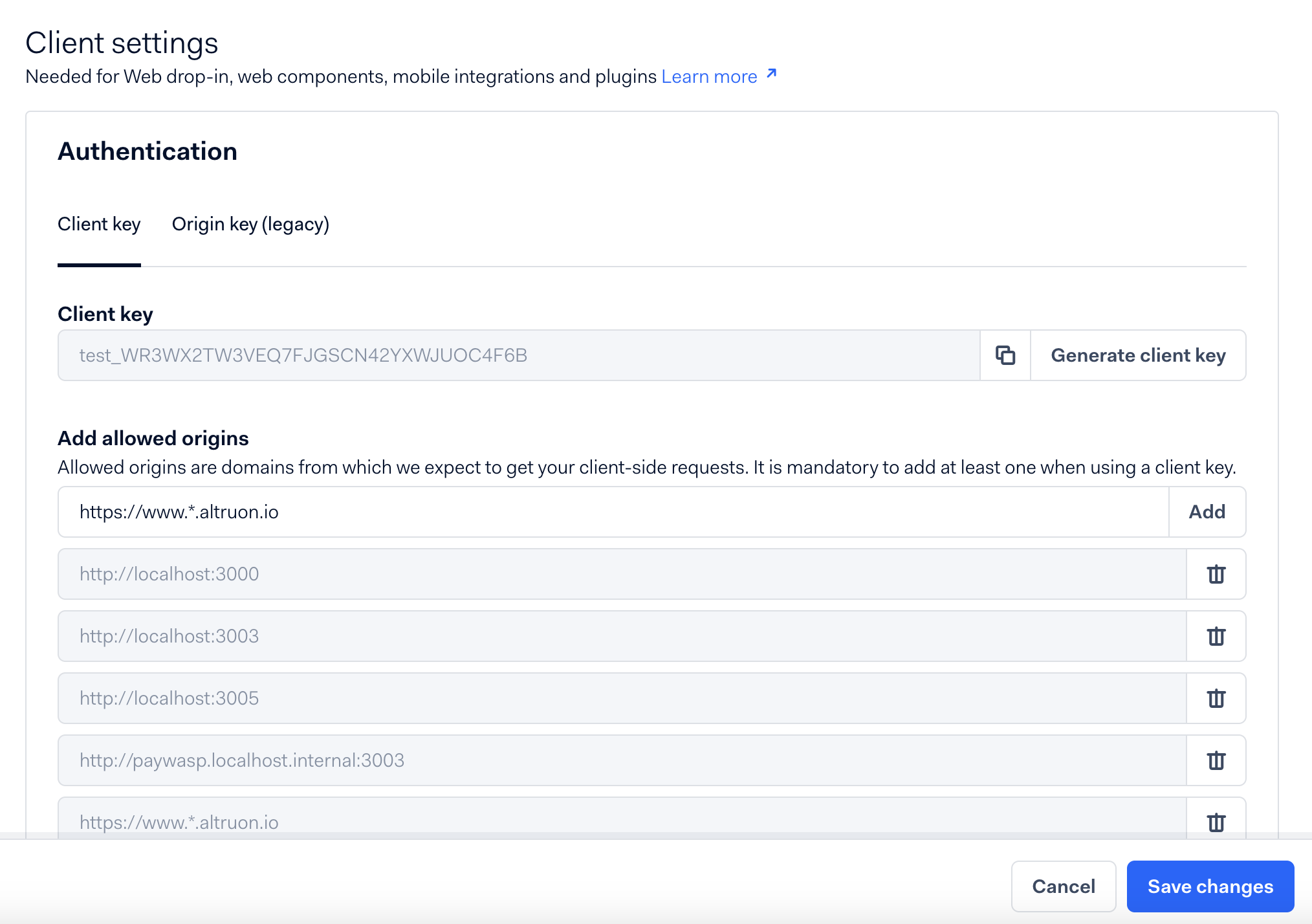
- In the Client settings section, navigate to the Authentication tab.
- Copy the Client Key.
- In the Add allowed origins field, add:
https://www.*.altruon.io - Click Save changes.
Step 1: Connect Adyen to Altruon
- Log in to your Altruon account.
- Navigate to Settings > Payment Gateways.
- Click + Add Integration and select Adyen.
- Enter your:
- API Key
- Client Key
- Click Save.
If the connection is successful, you will see the Adyen integration marked as Active in Altruon.
Step 2: Configure Webhook in Adyen
Altruon requires a webhook from Adyen to stay in sync with payment events.
- In your Altruon dashboard, go to Settings > Payment Gateways.
- Click View Integration on Adyen.
- Copy the Webhook endpoint URL generated by Altruon.

-
Log in to your Adyen Backoffice.
-
Navigate to Developers > Webhooks.
-
Click Create new webhook and choose Standard webhook.
-
Fill in the following details:
Name:
Altruon endpointDescription:
Altruon endpointURL: Paste the Altruon webhook endpoint URL here
Events: In the events section, only select:
AUTHORISATIONCHARGEBACK
-
Click Save configuration to finalize.

🎉 Congratulations
Your Adyen gateway is now successfully connected to Altruon!
You can begin processing card payments through the Altruon JS card component in your checkout flow.