Frisbii

Frisbii is a subscription billing platform built for recurring payments and lifecycle automation. When connected to Altruon, Frisbii becomes your subscription source of truth while Altruon orchestrates payment collection across your configured gateways.
Supported Features
- Subscription creation (plans and add-ons) with payment collection through any supported gateway
- Subscription lifecycle synchronization (created, changed, on hold, reactivated, cancelled, expired)
- Invoice synchronization and manual settlement after successful gateway payment
- Tax-inclusive subscription estimate using Frisbii preview subscription endpoint
Requirements
To connect your Frisbii account to Altruon, you need:
-
API Key
- Generate and copy it from your Frisbii backoffice.
- Altruon uses this key with Basic Auth against Frisbii APIs.
-
Frisbii Backoffice URL
https://app.frisbii.com/
Step 1: Connect Frisbii to Altruon
- Log in to your Altruon account.
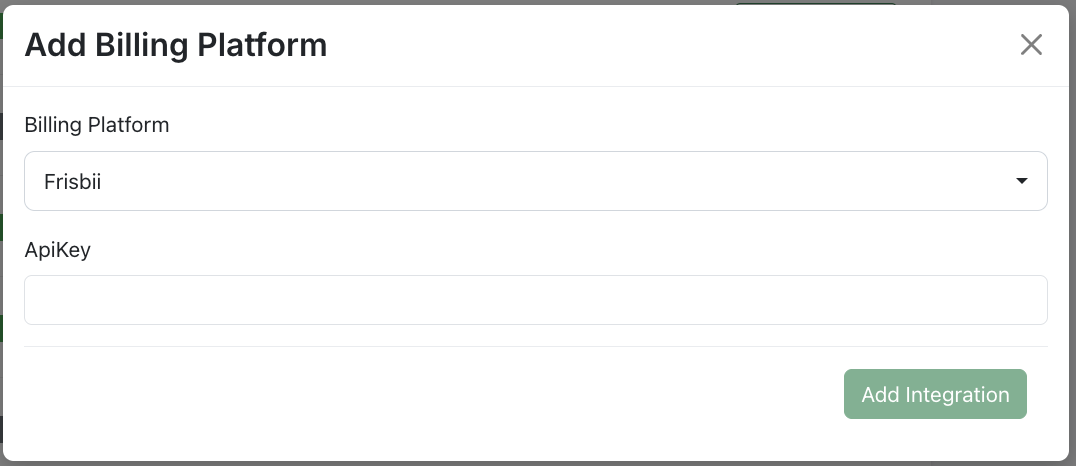
- Go to Settings > Billing Platforms.
- Click + Add Integration and choose Frisbii.
- Paste your API Key. You can find/create the key on Frisbii backoffice in Configurations>Integration and tools>API credentials. Make sure to tick in the Global API key option.
- Click Add Integration.
Once connected, Frisbii appears as Active in your Billing Platforms list.
Step 2: Configure Webhooks in Frisbii
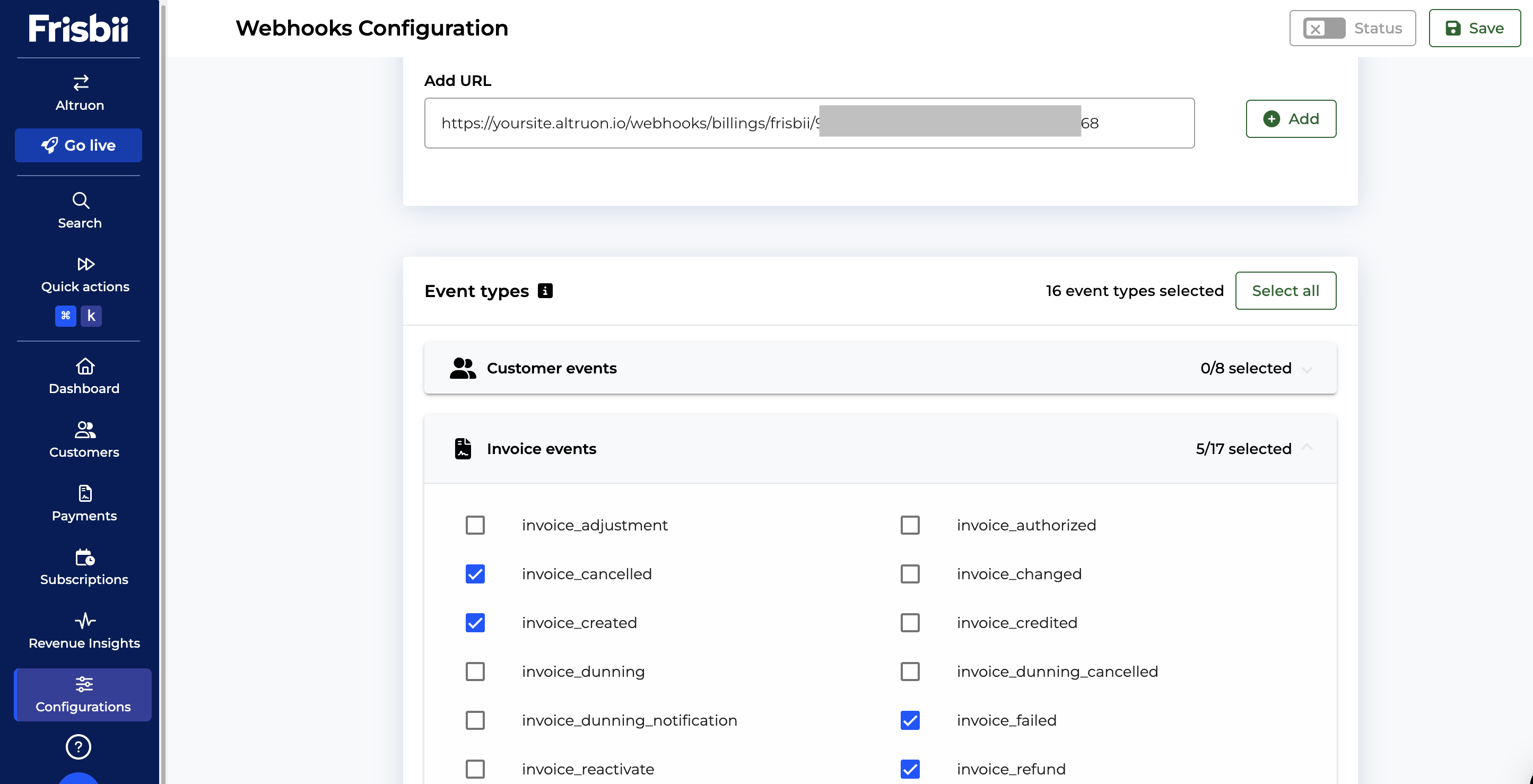
Altruon relies on Frisbii webhook events to keep subscriptions and invoices synchronized.
- In Altruon, open Settings > Billing Platforms > Frisbii > View Integration.
- Copy the webhook URL shown by Altruon.
- In Frisbii backoffice, navigate to Configurations > Integration and tools > Webhooks.
- Create a new webhook endpoint and paste the Altruon URL.
- Subscribe to these event types:
invoice_createdinvoice_settledinvoice_cancelledinvoice_failedinvoice_refundsubscription_createdsubscription_cancelledsubscription_expiredsubscription_expired_dunningsubscription_on_holdsubscription_on_hold_dunningsubscription_reactivatedsubscription_renewalsubscription_changedsubscription_uncancelled
- Save and enable the endpoint.
Step 3: Validate End-to-End Flow
Run a test subscription to verify:
- Subscription is created in Frisbii.
- Invoice is created and synced into Altruon.
- Successful payment triggers invoice settlement in Frisbii (
manual_settle). - Backoffice deep links open the correct Frisbii records (invoice, subscription, customer, transaction context).

🎉 Success
Your Frisbii integration is now ready. Altruon will keep subscription lifecycle and invoice state synchronized while you keep payment-gateway flexibility.